 IP
IP
192.168.100.1 Router Administrator Login On Mobile/Computer
For desktop computers, you can directly connect via an Ethernet cable to the router’s LAN port. 2. Access the Login Page: Open a browser on your phone or computer (e.g., Chrome, Safari, Edge). In the address bar, type h
- February 28, 2025
- Popular

192.168.11.210 Router Login Admin on Mobile and Computer
192.168.11.210 Router Login Admin on Mobile and Computer 192.168.11.210 is an internal private address in the IPv4 address space. In computer networking, IPv4 addresses serve as unique identifiers for devices within a
- February 28, 2025
- Popular

192.168.0.101 How to Log in to the Router Using a Mobile Phone or Computer?
192.168.0.101 How to Log in to the Router Using a Mobile Phone or Computer?
192.168.0.101 is a private IPv4 address commonly used within local area networks (LANs). It is typically assigned as the IP address for devices such as computers

Do Mobile Phones and Computers Have the Same IP Address When Connected to the Same WiFi?
Do Mobile Phones and Computers Have the Same IP Address When Connected to the Same WiFi? Nowadays, WiFi has become an essential way of connecting to the internet for our home life and daily work. We often encounter multiple connections in a network, such as smartph
- May 23, 2023
- Information

What should I do if the WiFi connection is normal but the computer cannot access the Internet?
What should I do if the WiFi connection is normal but the computer cannot access the Internet? Many netizens report that their WiFi network is normal, and the mobile phone can be connected to the Internet, but the computer just ca
- June 21, 2021
- Information

How to Set up TP-Link AX3000 Router to the Internet by Computer?
Total Time: 20 minutes Supply & Tools: TP-LINK AX3000 router Cable Computer Step-by-step guideEpilogue The method for setting up TP-LINK AX3000 router for internet access by a computer is similar to that of other
- March 31, 2023
- Popular

All-in-One Solution: Reasons and Fixes for Mobile Phones and/or Computers Unable to Detect Wi-Fi Signals
All-in-One Solution: Reasons and Fixes for Mobile Phones and/or Computers Unable to Detect Wi-Fi Signals
Have you ever found yourself ready to catch up on the latest social media or tackle urgent online tasks, only to discover that your phone or

What should I do if the WiFi connection is normal, mobile phones and computers can access the Internet, but other devices cannot access the Internet?
What should I do if the WiFi connection is normal, mobile phones and computers can access the Internet, but other devices cannot access the Internet?
- December 16, 2020
- Instruction


What is the use of IP address locating?
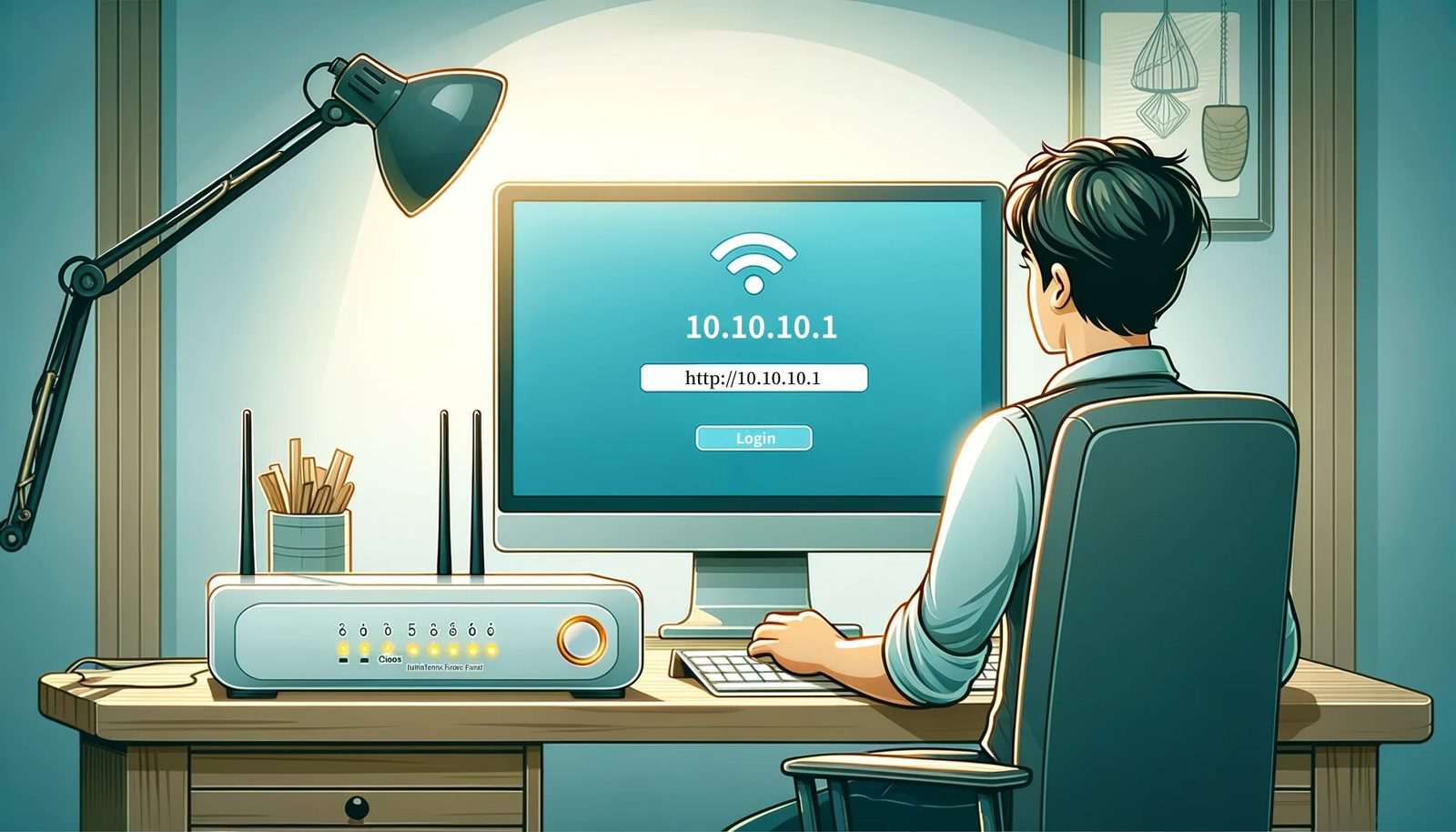
The main function of the IP address location is to query the IP address of the computer (or mobile phone) connected to the network and its location.
The IP address is the basis for our Internet communication. Every networked computer

192.168.1.1 Login: How to Access the Admin Page
Connect your phone or computer to the router’s WiFi network. You can also use an Ethernet cable to connect your computer to one of the router’s LAN ports.. Open any web browser, tap or click the address bar, and type 192.168.1.1.
- April 10, 2026
- Tutorials
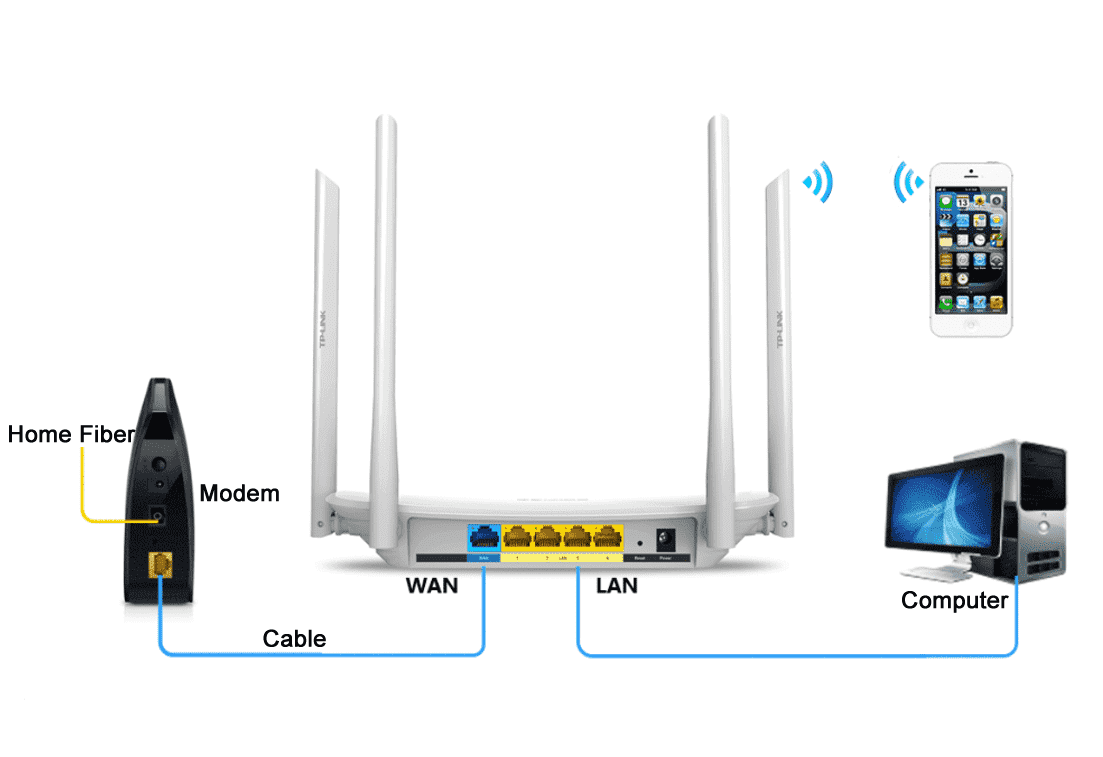
How to connect the router and broadband?
The following describes the line connection methods of routers, computers and broadband lines under various home lines. Note: The line type is the actual physical medium.
- January 19, 2023
- Information


What should I do if 192.168.1.1 is the login interface of the operator provider?
Because, when setting up the router, you don’t need a computer to be able to access the Internet; as long as the computer is connected to the router’s LAN interface with a network cable, you can open the router’s settings page to conf
- January 11, 2023
- Instruction


Reasons and solutions for 192.168.1.1 cannot open the router setting interface?
If it is a desktop computer, you also need to connect the router's LAN port to the computer with a network cable. If there is a problem with the network cable used to connect the computer to the route
- January 19, 2023
- Popular


