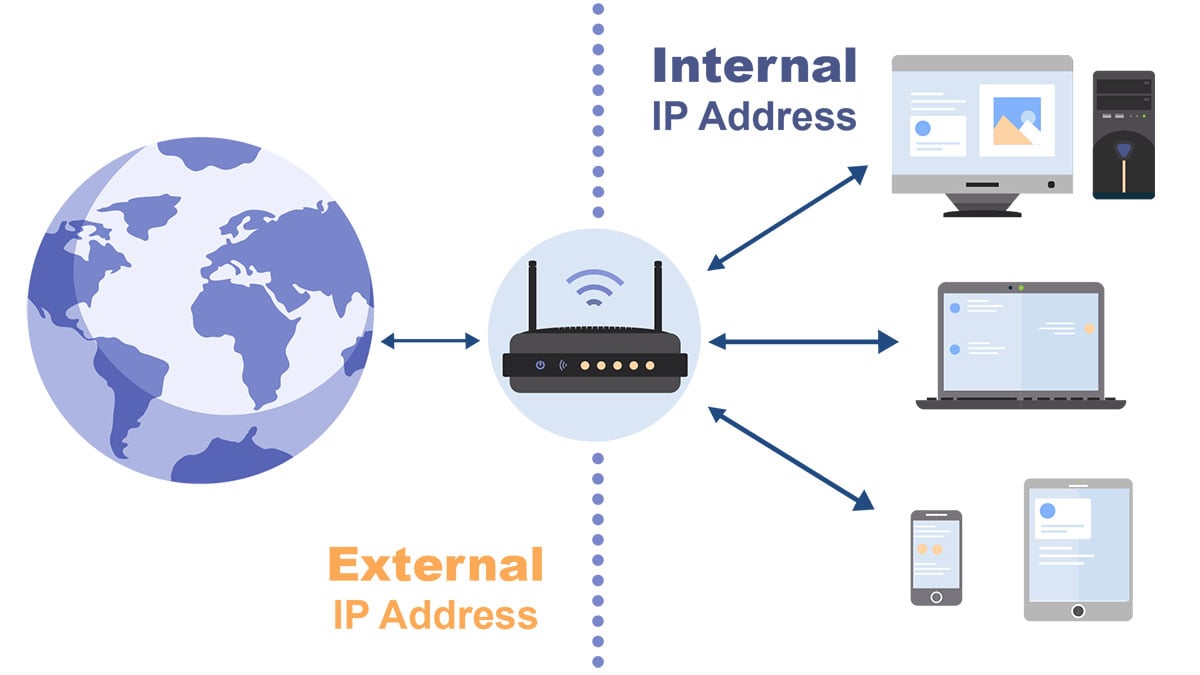
To configure the router, you need to log in to its management interface. Therefore, you must first know the IP address of the router. You can check the default router IP address here. The IP address is composed of four numbers, separated by points. The IP address of the internal network generally starts with 192.168, and the router has an IP address, such as 192.168.1.1 or 192.168.0.1.
Depending on the device or computer, finding the router's IP address is also different. Here are the steps for various devices:
Windows system
Open the command prompt by visiting the search bar and typing "cmd". A black window will appear in which you need to type "ipconfig". Check the results to get the default gateway address.
Apple system
Apple system has the most straightforward step to check the router IP:
• Click on the Apple menu (top of the screen)
• Select "System Preferences"
• Click on the "Network" icon
• Select the relevant network connection
• Press the [Advanced] button
• Click the "TCP/IP" tab to view the IP address on the right side of the router.
Linux system
First, navigate to Applications>System Tools>Terminal, and type "ifconfig". You will see the IP of the router next to "inet addr".
iPhone iOS
If using iOS9 or iOS8, please navigate to "Settings"> "WiFi" and click on the wireless network you are currently connected to. Find the IP of our router in the DHCP section.
Android system
The third-party application WiFi Analyzer is the easiest method on Android devices. After installing the application, click the "View" menu and select "AP List". You will see "Connected to [Network Name]". If you click it, a window will display your network information, including the router's IP.
Chrome OS
On the taskbar, click the notification area. Next, click "Connected to [Network Name]" on the list that appears. Click the name of your wireless network, and then display the results on the "Network" tab, including the router's IP address.
Of course, if you find it troublesome, do not understand, or can not operate, you can also check the default login IP and username and password of your corresponding router brand through the router brand column in this site.
 IP
IP