 IP
IP
192.168.8.1 is a common login IP address used by Huawei Mobile WiFi devices. If you want to check what devices are connected to your WiFi, just go to http://192.168.8.1 admin page and view the list of devices currently connected to your WLAN. It’s quick and easy to do from your phone.
How to Check Connected Devices on Your Huawei Mobile WiFi
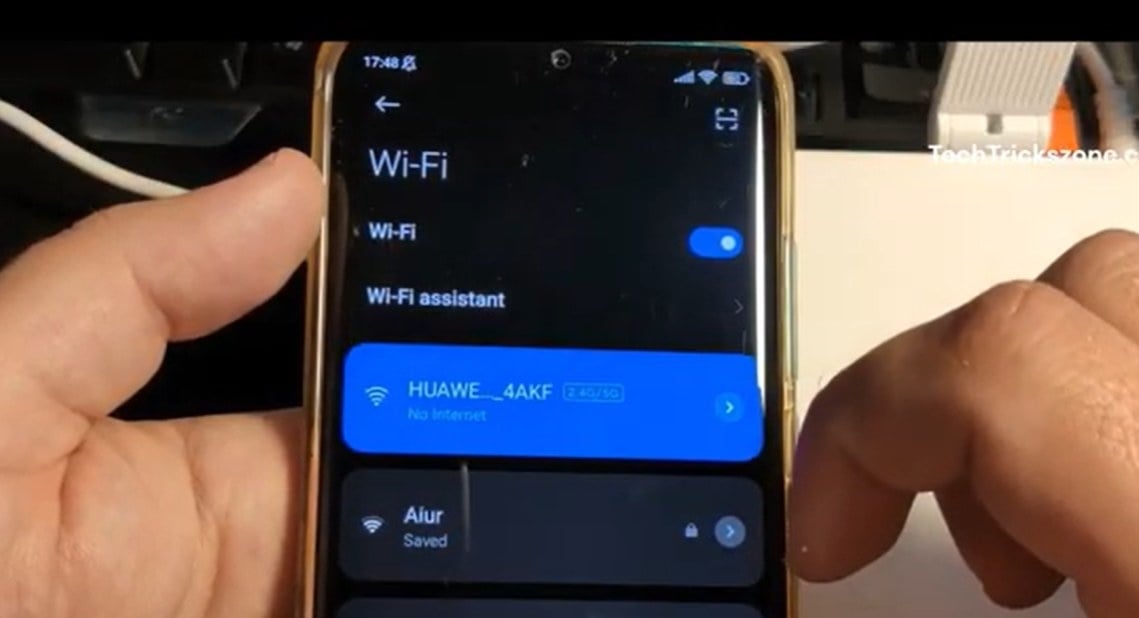
1. Connect your phone to your Huawei Mobile WiFi network. The default WiFi name is usually HUAWEI_XXXXXX. If you’ve renamed your WLAN, connect to your updated network name instead.
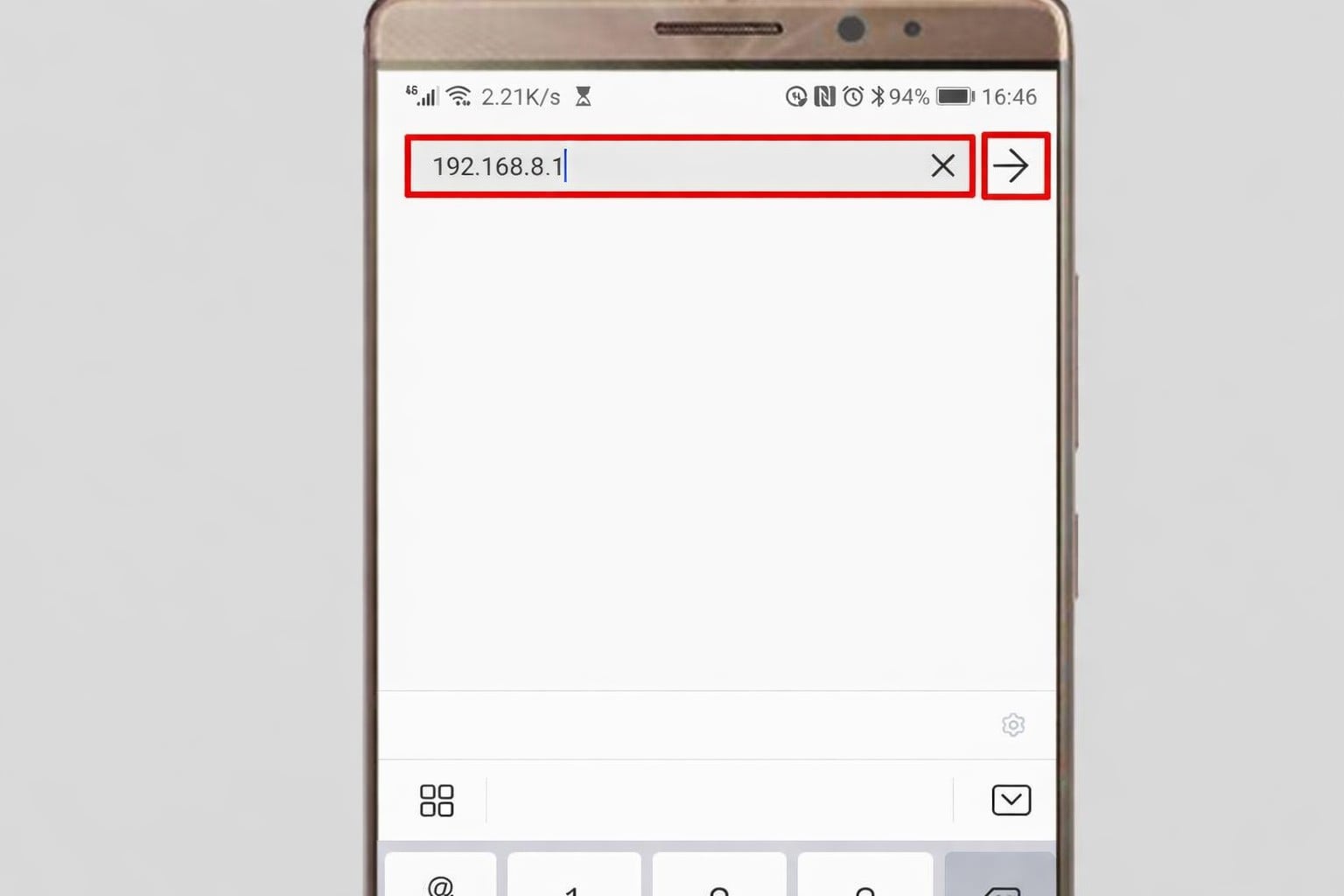
2. Open a browser on your phone, type 192.168.8.1 into the address bar, and tap “Go” to open the 192.168.8.1 login page.
3. When the login page loads, enter the username (if required) and admin password, then click “Login” to access the admin dashboard. The default username and password are usually admin. You can check the label on the back or bottom of your Huawei Mobile WiFi device to confirm it.

4. After you log in, look for options like “Devices” or “Connected Devices” on the main screen or in the menu, then click to open it.
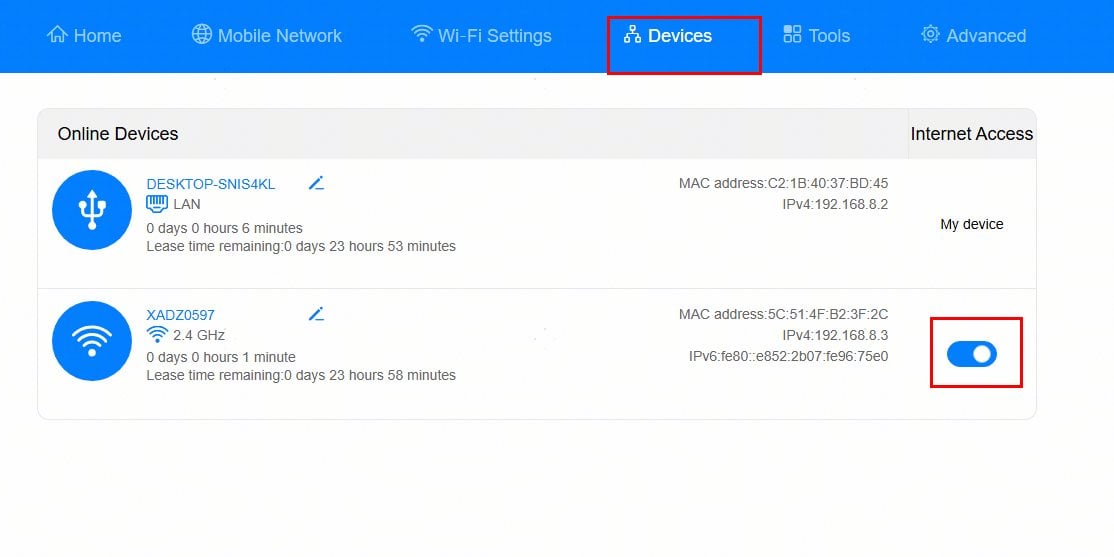
5. You’ll see a list of all devices currently connected to your WLAN, including device name, IP address, and MAC address. This makes it easy to spot any unauthorized devices on your network. You can also allow or block specific devices from accessing your network. Learn more: 3 Methods to Help You Check Connected Devices of Your WLAN

Do Mobile Phones and Computers Have the Same IP Address When Connected to the Same WiFi?
In everyday WiFi networks, routers are typically used to create and manage the network, transmitting internet connectivity to


What should I do if the WiFi connection is normal, mobile phones and computers can access the Internet, but other devices cannot access the Internet?
What should I do if the WiFi connection is normal, mobile phones and computers can access the Interne
- December 16, 2020
- Instruction


