 IP
IP
New routers don’t come with an internet connection out of the box. Even after a factory reset, your H3C Magic router will lose its connection, so you’ll need to set up the network first. If you’re wondering how to get your H3C Magic router online, here’s a step-by-step guide to help you configure the internet connection.
H3C Magic Router Login Address
The management address for H3C Magic routers is: 192.168.124.1
For most H3C Magic routers, this is the default login address. If your model is different, simply check the label on the bottom of the router—it usually lists the login address as well as the default username and password.

Setting Up Internet on Your H3C Magic Router
Once you know the login address for your H3C Magic router, follow these steps to access the router’s management page:
1. Connect your phone, tablet, or laptop to the router’s WiFi. H3C Magic routers usually broadcast a WiFi network starting with "H3C".

2. For the first-time setup, your phone will usually take you straight to the router’s login page. If it doesn’t, open your browser and enter the router’s management address in the address bar: 192.168.124.1. Once the page loads, tap “Start Now.”
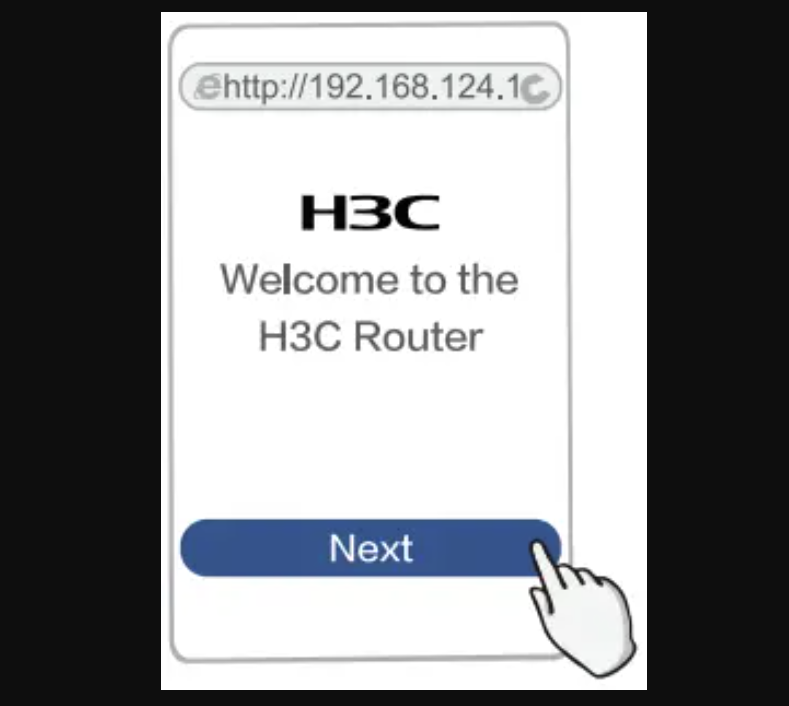
3. After entering the page, the router will typically detect your current internet connection automatically. You can also follow the on-screen instructions to set up the internet connection. Typically, there are two main options:
- Automatic IP (DHCP): Use this if your home modem/router already handles the internet connection.
- Broadband (PPPoE): Choose this if your ISP provided a username and password, then enter the credentials.

4. Next, the page will guide you to set up your WiFi name and password. You can configure both 2.4G and 5G WiFi networks. By default, the router uses the WLAN password as the management password. If you’d like to set a separate admin password, simply uncheck this option and create your own management password.
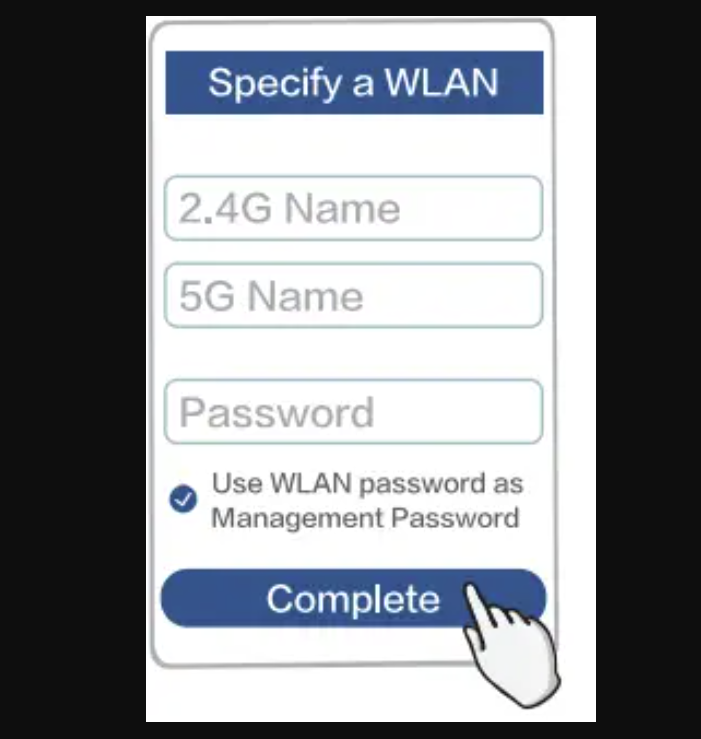
5. Finally, tap “Complete”. The router will save all your settings automatically, and your H3C Magic router is ready to go. You can now connect your devices to the WiFi network and access the internet.


