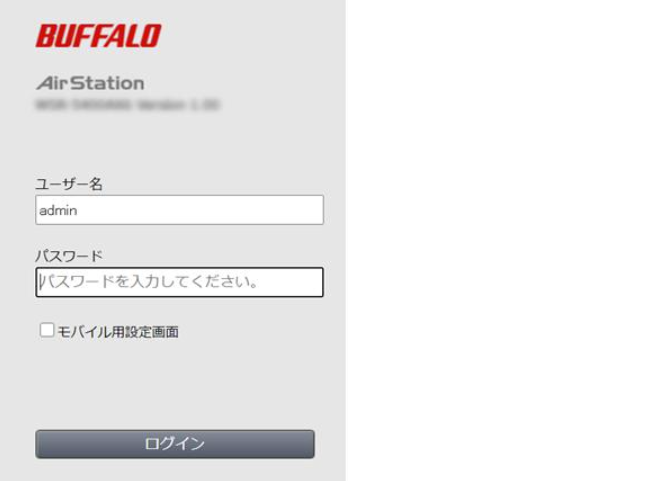
IP
IP
When setting up a Buffalo router, you’ll usually need to type the management address 192.168.11.1 into your browser to access the admin page. Once you open it, the login screen will ask for a username and password. Below are the most common Buffalo login credentials to help you get started.
Buffalo Default Login Password
Buffalo makes a wide range of router models, and the default login credentials can vary depending on the series.
For most Buffalo AirStation home routers, the default username is usually admin and the password is password. You can also check this guide: Buffalo AirStation Router Admin Login & Password Guide
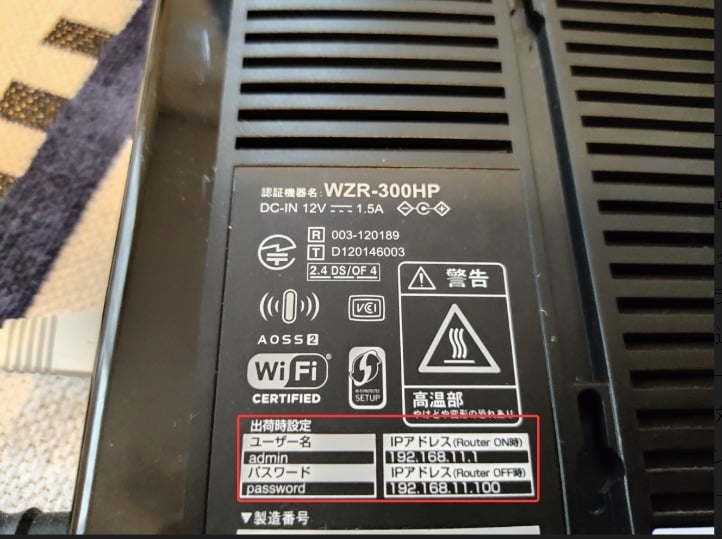
On older models like the WZR-HP-G300NH, the username is often root with a blank password. Some models will also prompt you to set your own admin password during first-time setup.
For newer series such as WSR and WXR, the login password is no longer a fixed value like “password.” Instead, it’s usually printed on the router label or included on the setup card.
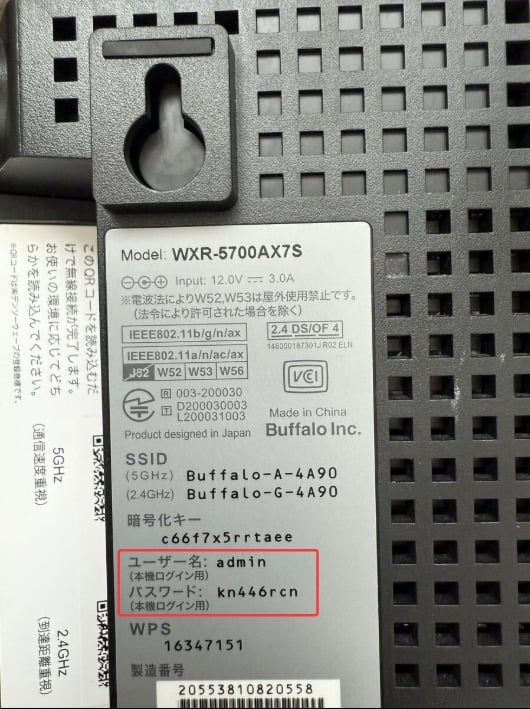
The easiest way to find your exact Buffalo router login password is to check the label on the back or bottom of the device, or the included setup card. You’ll usually see key details like the IP address, username, password, SSID, and WiFi security key printed there.
What If the Buffalo Login Password Isn’t Working?
1. The password may simply be entered incorrectly. Login credentials are case-sensitive, so “admin” is not the same as “Admin,” and “password” must be typed exactly as shown. If your password is a random string on the label, make sure every character is correct. Also check that your keyboard input is set to English and Caps Lock is off.
2. If you’ve changed the login password before, the default credentials (like admin, password, or root) will no longer work. In this case, you’ll need to use your updated admin password. Try checking your notes or saved passwords in your browser or device. See more: Forgot Your Router Login Password? 5 Easy Ways to Recover It
3. If you’ve completely forgotten the login password, the only option is to reset the router to factory settings. With the router powered on, press and hold the Reset button (or pinhole) for about 5–10 seconds using a pin or paperclip until the indicator lights start flashing. Once the router reboots, you can log in again using the default credentials printed on the device label.