 IP
IP
192.168.100.254 is a private IP address used as a management gateway for certain network devices. Some ISP-provided equipment—such as Astro Fibre router, customized fiber modems, or other wireless routers—use this address as the admin login portal. If you see this IP address on the label at the bottom of your router, you can use it to access the settings page.
192.168.100.254 Login
1. Check the label on the bottom of your device to confirm the management address. It’s usually listed as “Default Access” or “Login IP” along with the username and password (see image below).
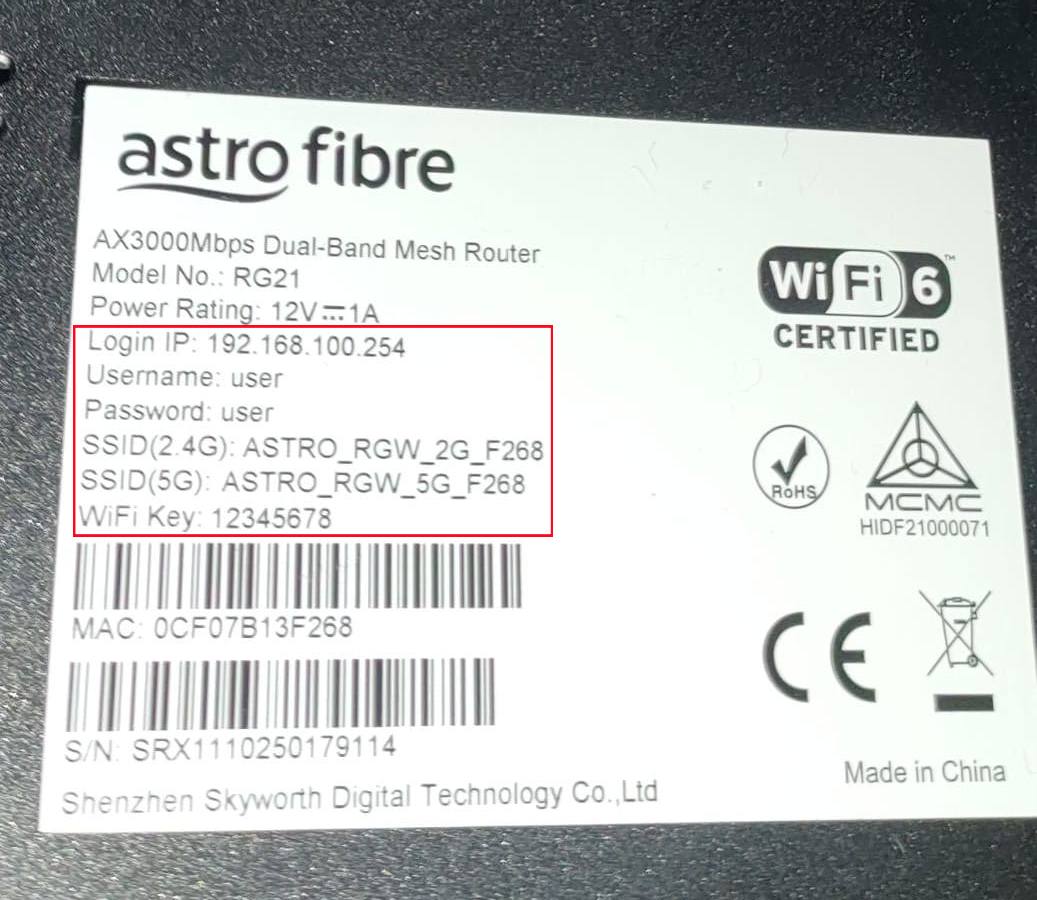
2. Connect your phone or computer to this device’s Wi-Fi network. If you’re connected to a different network, the login page won’t load.
3. If the login address isn’t listed on the label, you can also find it by checking the default gateway in your network details while connected to the device.
4. Open a browser on your phone or computer and enter 192.168.100.254 in the address bar to access the login page.
Note: Make sure you enter the management address correctly. Common mistakes include:
- 192.168.100.254.com
- 192168100254
- 192.168 l00 254
- http//192.168.100.254
These errors may cause the 192.168.100.254 login page to fail to load.
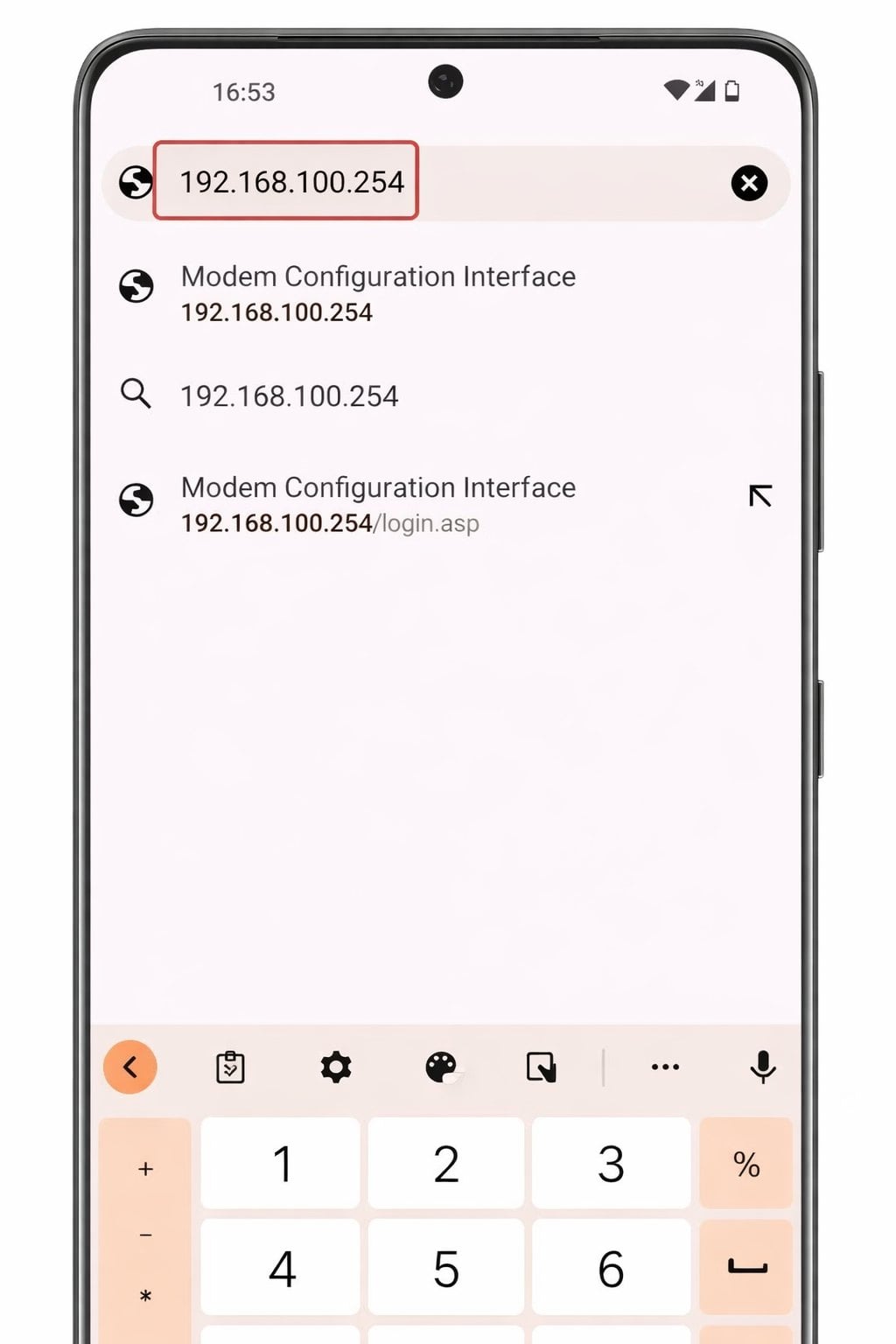
5. Once the login page appears, enter the username and password. The default username is usually user, the default password is usually user or admin. For example, some Astro Fibre routers use user / user as the default login. If you’ve changed the credentials before, enter your updated login details instead.

6. After logging in successfully, you’ll be taken to the admin panel. From there, you can view connected devices, change your Wi-Fi name and password, and adjust other network settings as needed.


